

A countdown that shows or hides your content on its own
Evergreen timers —one per visitor— or fixed-date ones that reveal, hide or redirect your content when they hit zero. No code needed: one shortcode and two classes.
Watch the content change when it hits zero.
On the left, the countdown. On the right, a sample page. While the timer is active one block shows; when it expires, the plugin hides it and shows the other. Hit "Test the switch" to see it in 8 seconds.
This demo uses an <strong>evergreen</strong> timer: it starts the first time you arrive and is saved in your browser. Reload the page and it'll pick up where it was. In the plugin, you tag your content with <code>acvs-before-ID</code> and <code>acvs-after-ID</code>.
Enrolment open with 30% off
The launch-price spots close when the timer hits zero. After that, this block disappears on its own.
Sign me up now →From setup to your site without writing code.
Set up the timer
Choose evergreen type (starts per visitor and is saved in their browser) or fixed date. You define the duration, the visible units and what happens on expiry: show/hide or redirect.
Place the shortcode
Paste the shortcode wherever you want the timer to appear. Each countdown has its own identifier.
[acvs_countdown id="104"]
Tag the content
Add a class to the blocks you want to show before or after. The plugin handles the rest, also in your page builder.
acvs-before-104
acvs-after-104
Small, dependency-free and built for the edge cases.
Evergreen per visitor
Each visitor starts their own countdown, saved in their browser. Ideal for personalised offers with real urgency.
Fixed date
Or one shared deadline for everyone: a launch, the close of a Black Friday, an enrolment deadline.
Show / hide with classes
Tag any button, row, column or block with acvs-before / acvs-after and the plugin toggles its visibility.
Redirect on expiry
Visitors shouldn't stay on the page? In redirect mode, on expiry they're sent to the URL you define.
Configurable styles
Typography, colours (normal and expired), radius, block size, spacing and number/label sizes. No CSS.
Your own units & labels
Enable only days, hours, minutes or seconds, and write the labels in each campaign's language.
Evergreen reset
Change the storage key version and every visitor starts a new countdown instantly.
Inactive without losing settings
Pause a countdown: it stops rendering on the site but keeps all its settings ready to reactivate.
Page-builder compatible
Just use the class names in your page builder: no need to touch HTML unless you prefer to.
Everything is configured from one clear panel.
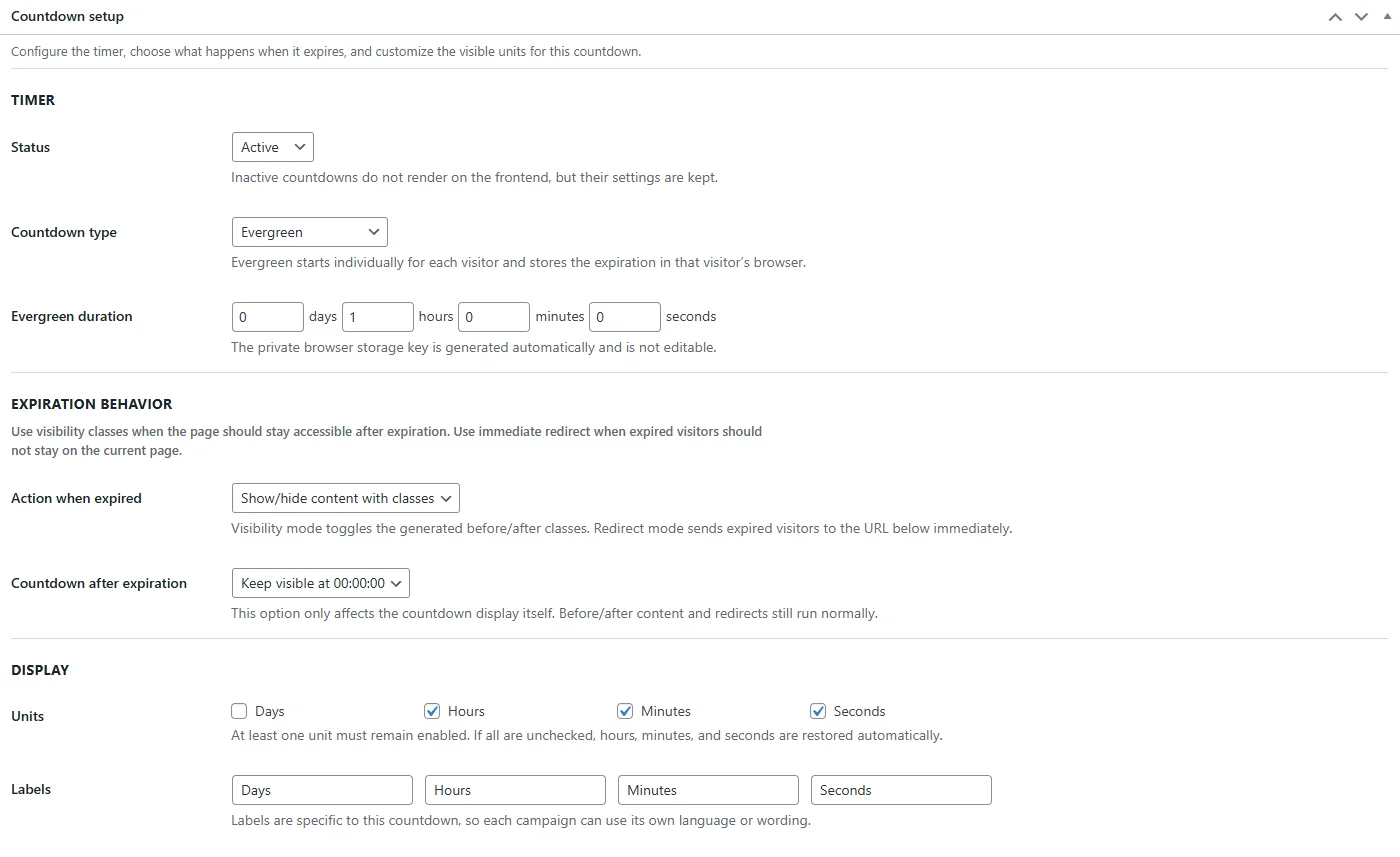
Timer settings
Status, evergreen or fixed type, duration, expiry behaviour and visible units.
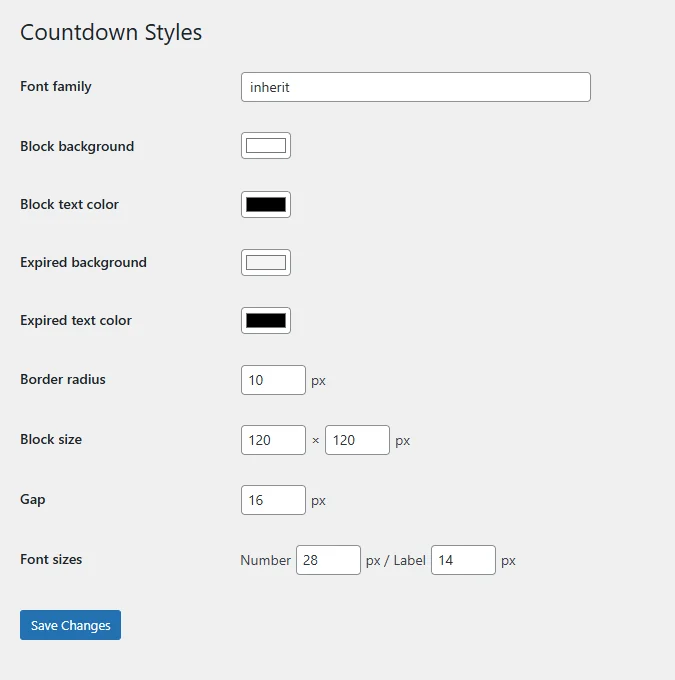
Countdown styles
Colours, radii, sizes and typography. The look of the blocks, without writing CSS.
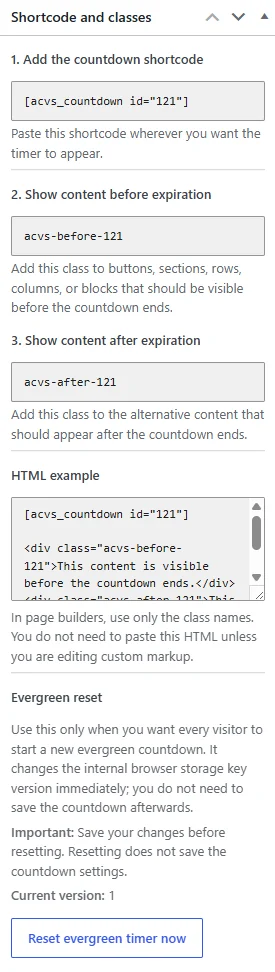
Shortcode & classes
The shortcode ready to copy and the before / after classes that control visibility.
Real urgency, no fake timers.
Launches & "coming soon"
Show a waiting page and let the real content appear on its own on launch day. It's exactly what Arreluna uses for its own site.
Offers with an expiry
Enrolments, discounts or bonuses that disappear when the timer hits zero. No buy buttons left active when they shouldn't be.
Evergreen carts & funnels
Each visitor has their own time window. Reloading the page doesn't reset the clock: the urgency is honest.
Content that unlocks
Lock a module, a video or a resource and release it automatically when the countdown ends.
Countdown Visibility Switcher
The complete plugin, published in the official WordPress repository. No paid version, no locked features.
- Evergreen and fixed date
- Show, hide or redirect on expiry
- Configurable styles, units and labels
- Updates from WordPress.org
Prefer me to set it up for you?
If you don't want to touch anything, I'll install and configure it for you: timer, classes on your pages and styles matching your brand.